Interaction Design, Installation Art
Category
Anderson Wang, Yumeng (Rainbow) Li, Sarah Balghonaim, Pengfei Guo
Team
Year
2015
Interactive-Experimental Multimedia Art Installation
Drion

DRION
Inspired by the philosophy of Yin and Yang from T'ai chi, we involved the balance as our concept. Drion is a combination of immersive environment experiments and interactive video art installation projects. The key idea is to discover the relations of human senses and the external environment through an interactive art experience.
Participants experience the project by walking on a narrow beam, with a long rod in their hands to help them balance themselves. A set of motion-graphic projection and audio tones work as the feedback loop is played in front of the participant as an indicator to reflect their body balance


Experience Design
While walking on a narrow beam is hard enough for many people, participants also have to encounter the external environment. We designed this immersive environment to be closed and dark, with only the interactive components painted with light-in-dark, participants are isolated from other elements but the task itself. By using this setup, we created an immersive environment to explore what would people react to the illusions.


Initial Setup
As participants enter the dark space, they will be greeted by the glow-in-dark marks on the floor and the body balance device placed on top of a stool. The markings on the floor serve as a visual guide, as the entire environment is pitch black, the glow-in-dark markings are designed to lead the participant through the process.
The body balance device is inspired by the balance pole for wire-walking, a piece of equipment to help the wire-walker to maintain balance. "It distributes mass away from the pivot point, thereby increasing the moment of inertia. This reduces angular acceleration, so a greater torque is required to rotate the performer over the wire. The result is less tipping. In addition, the performer can also correct sway by rotating the pole. This will create an equal and opposite torque on the body."
- Tightrope walking. (n.d.). In Wikipedia. Retrieved October 14, 2017, from https://en.wikipedia.org/wiki/Tightrope_walking
In addition, the body balance device is also equipped with a smartphone, which uses its sensors to capture acceleration, 3-axis rotation data and communicate with the control computer via wifi.
Upon entering the space, the participant will follow the marked route, pick up the body balance device, then the participant will walk on a slight-elevated narrow beam to simulate the tightrope walking experience. The participant will have to complete the challenge while maintaining balance with the help of the balance device.
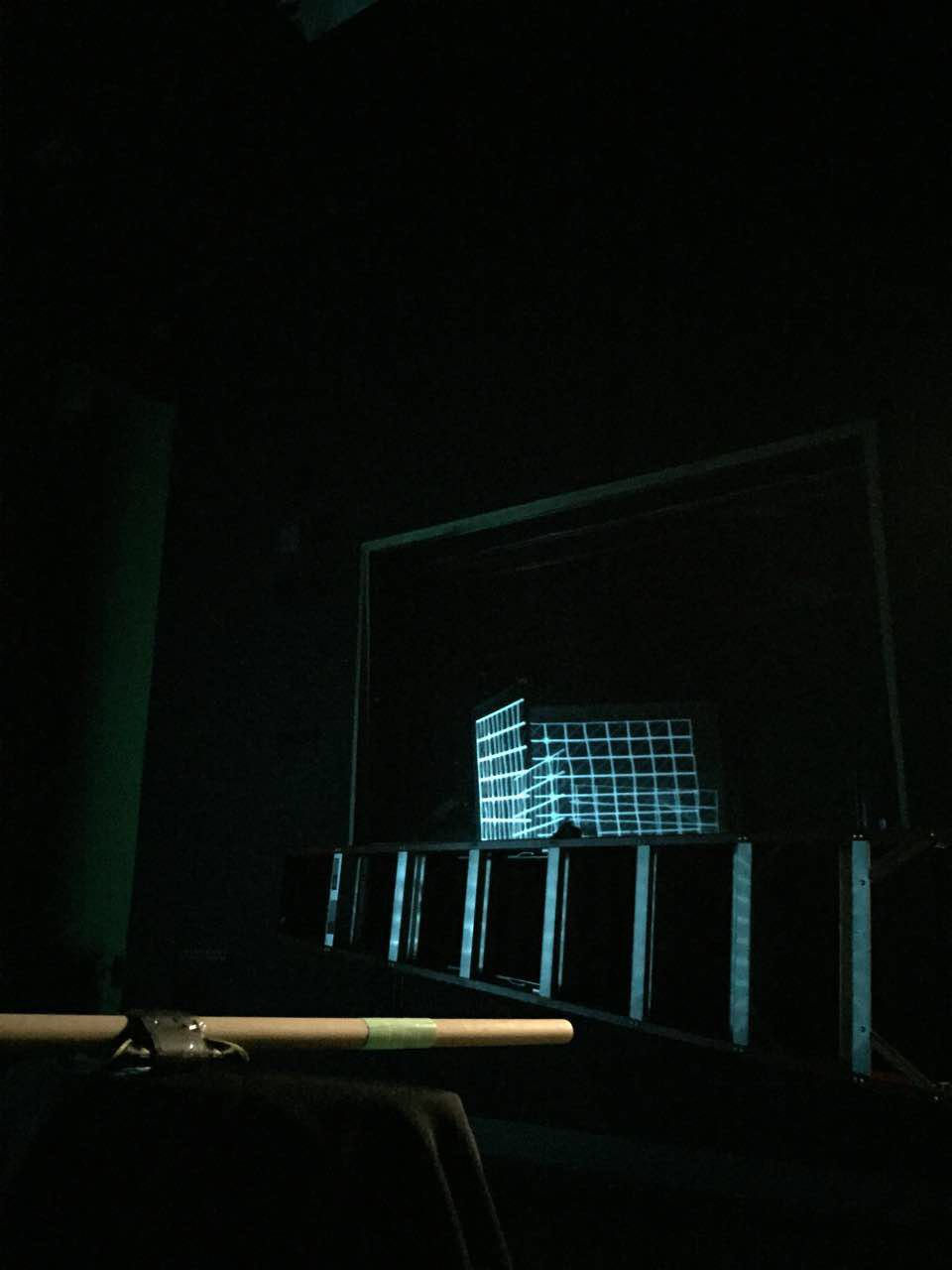
Meanwhile, the screen placed in front of the participant will display computer-generated graphics that reflect the participant's body balance, a set of speakers will also play a set of audio tones as balance state changes. These add difficulties to the participant's brain which also uses other senses to assist maintaining body balance.
Balance State
This image represents the visual feedback of the interaction when the participant maintains balance on the beam.
When the participant holds the balance device parallel to the floor, the smartphone detects the acceleration and rotation data to determine whether the participant is maintaining balance or not. Then computer-generated grid pattern and flat-toned audio will be played on the screen and through the speakers. This serves as a feedback loop to reflect the participant's balanced state, the grid-pattern graphics provide vertical and horizontal reference lines for the eyes to aim, while the flat-toned audio helps the participant remain calm. These elements help the participant to remain balance and stay on the narrow beam.
Unbalanced State
This image represents the visual feedback of the interaction when the participant loses balance on the beam.
When the participant begins to lose the balance, the smartphone detects the acceleration and rotation in certain axes. Then the graphic will change colour to yellow to warn the participant, vertical and horizontal grids will change to waves to eliminate visual reference. The audio tone will distort in pitch to reflect the degree of tipping, the more tipping the higher pitch goes. This feedback loop is now counteracting the participant's effort to regain balance, as the graphics no longer provide reference lines for the eyes to aim, while the high-pitch tone act as noises that create discomfort. These elements make it harder for the participant to correct the center of weight to regain balance, thus it's harder to stay on the narrow beam.
Room Setup
On the backside of the screen is where all the control is located. A laptop that receives motion data from the balance device and responds to the participant's body motion with corresponding graphics and audio tones. A projector then outputs the graphics on the screen, with a set of speakers output the audio tone.
Technology
In this project, our technical aspect contains two parts:
Body Motion Controls:
We utilized an iPhone 5 smartphone attached to the pole which is held by the participant. By using the acceleration data from iPhone 5's gyroscope and Wifi module, the iPhone 5 talks to our control station through TouchOSC software with real-time body motion data to control the graphics and audio tones.
Data Processing and Projection Mapping:
Upon receiving the real-time body motion data, it controls the MaxMSP patch to switch different computer-generated videos and alter the pitch of audio tones to reflect the balance states. Then the multimedia contents are mapped on the screen through Syphon protocol and MadMapper software.

Recognition & Public Showcases
This project was included and showcased at the 2015 Simon Fraser University Surrey Campus Open House event among other outstanding student works, SFU Surrey Campus Open House is an annual open house event to introduce the latest research achievements and highlighted student projects to the public.
For more information about SFU Surrey Open House, please visit: http://www.sfu.ca/surrey/engage/visit-us/open-house.html

In addition to the Open House event, our project was also proudly nominated and presented at the 2015 SFU Faculty of Communication, Arts and Technology (FCAT) Undergrad Conference at Surrey City Hall to faculty members and the public. FCAT Undergrad Conference is another annual event that brings together student works that represent the focus and direction of Faculty of Communication, Arts and Technology.
For more information about the conference please visit: https://www.sfu.ca/fcat/ugc/about.html
I'm a paragraph. Click here to add your own text and edit me. I’m a great place for you to tell a story and let your users know a little more about you.
The Website


